
Web · Mobile · Desktop
The Global Fin X Success Portal
We built our own learning platform for web, mobile and desktop, with one goal: helping you pass tough finance exams. It holds the study material, a large practice question bank, full mock exams and a Prometric-style simulator for ACCA, CMA US and Dip IFRS.
- Feature areas
- 8
- Tools and features
- 40+
- Question types
- 6
- Synced platforms
- 3
Screenshots
What it looks like on your phone
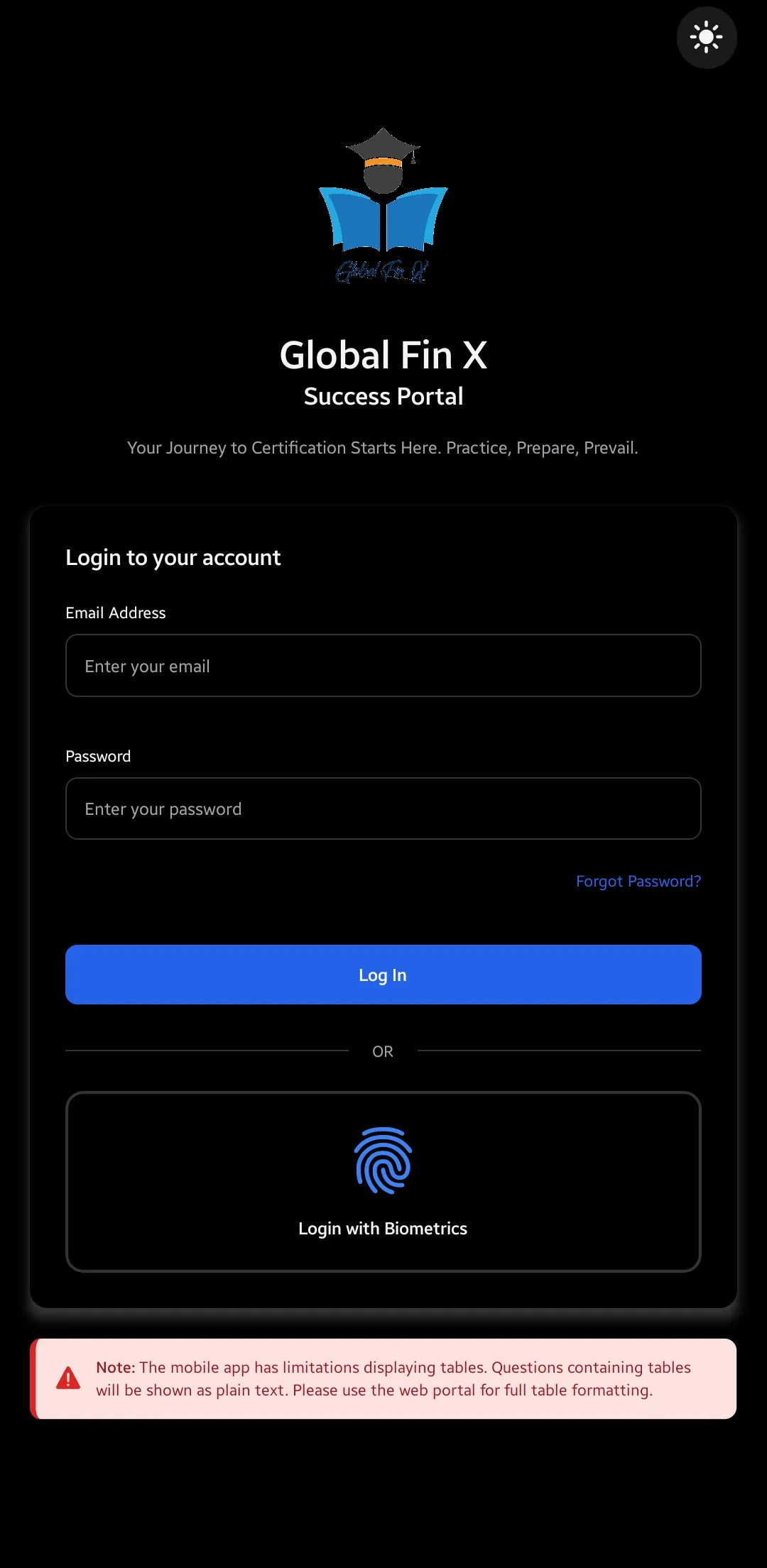
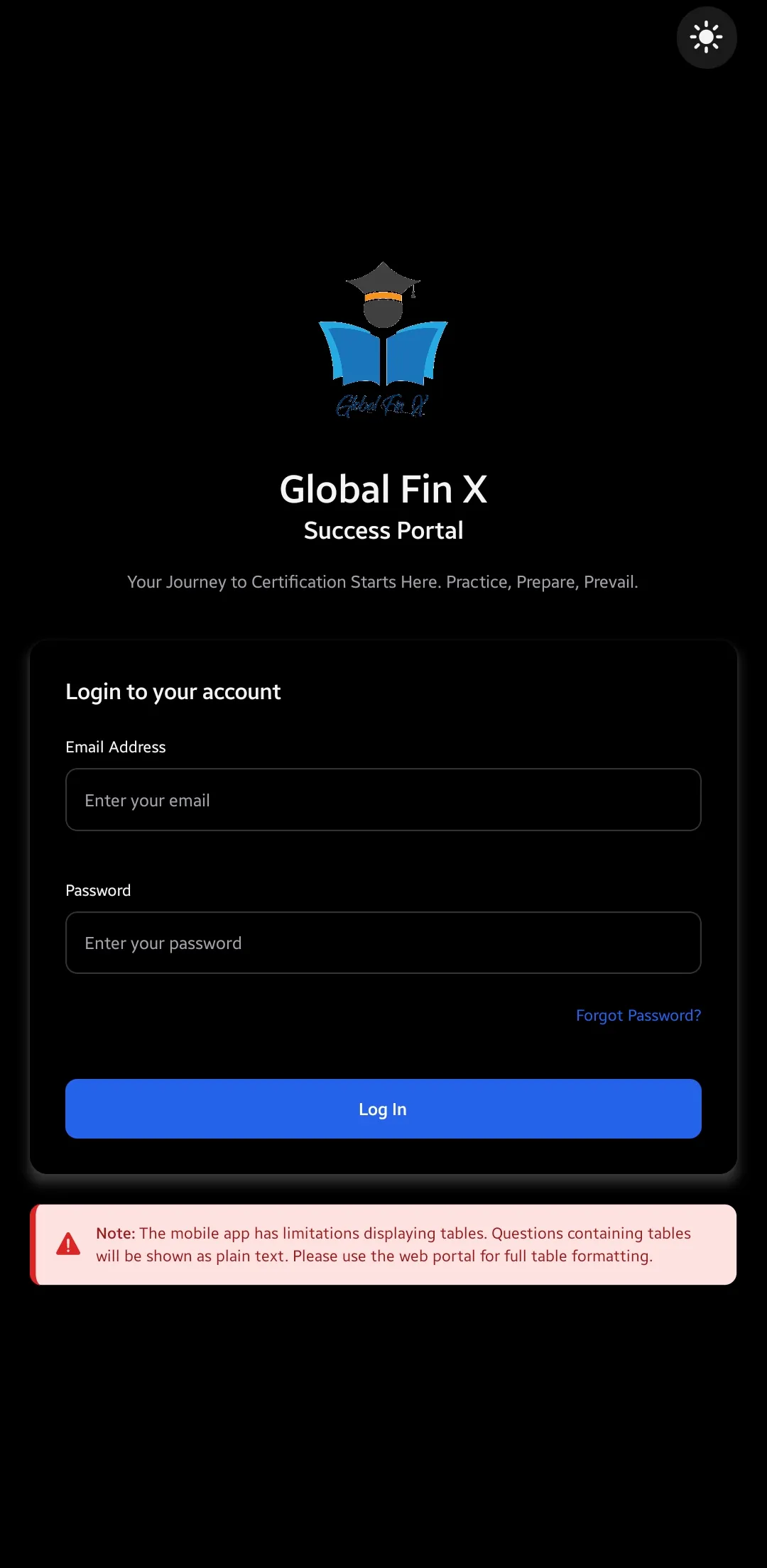
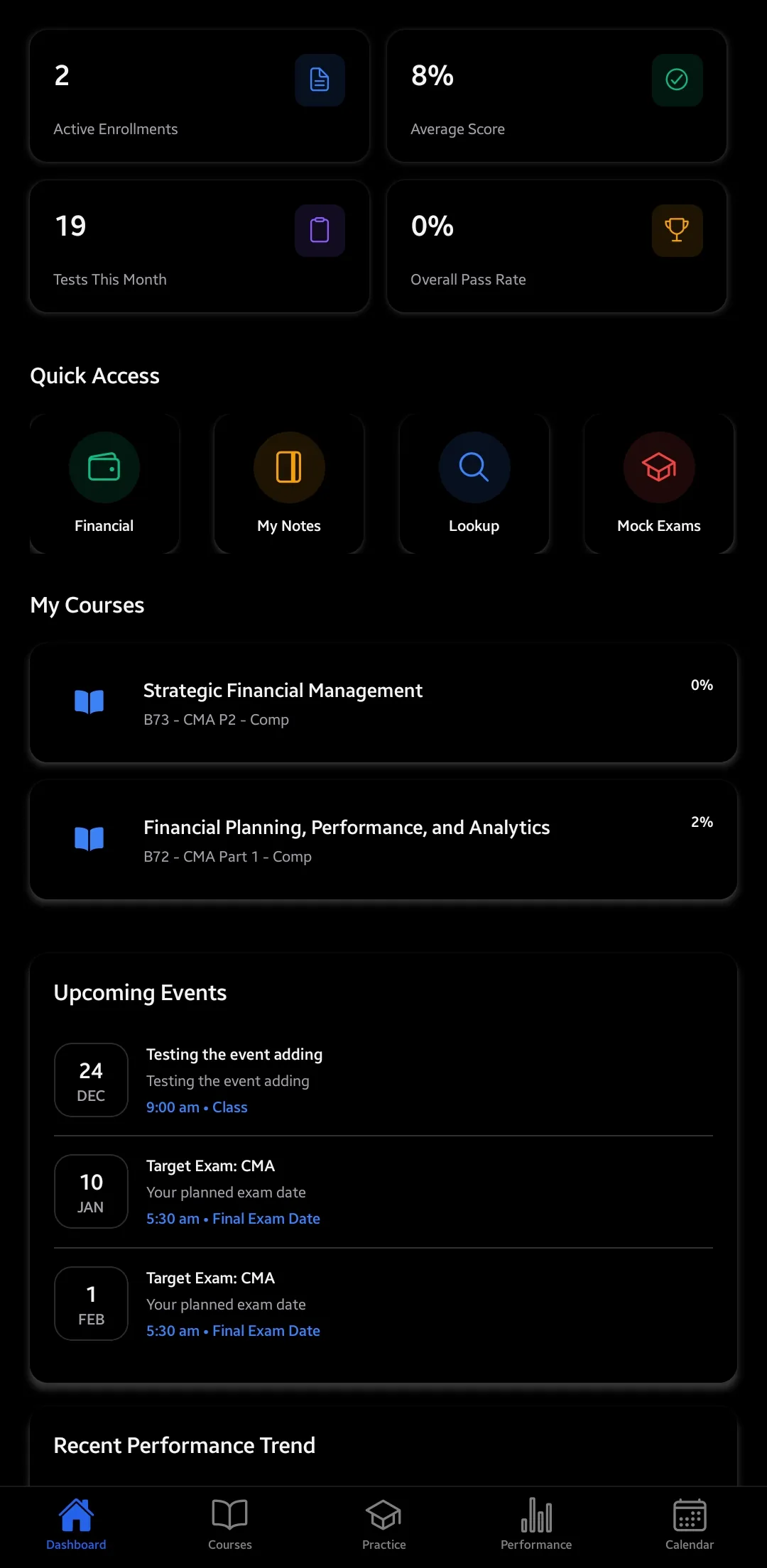
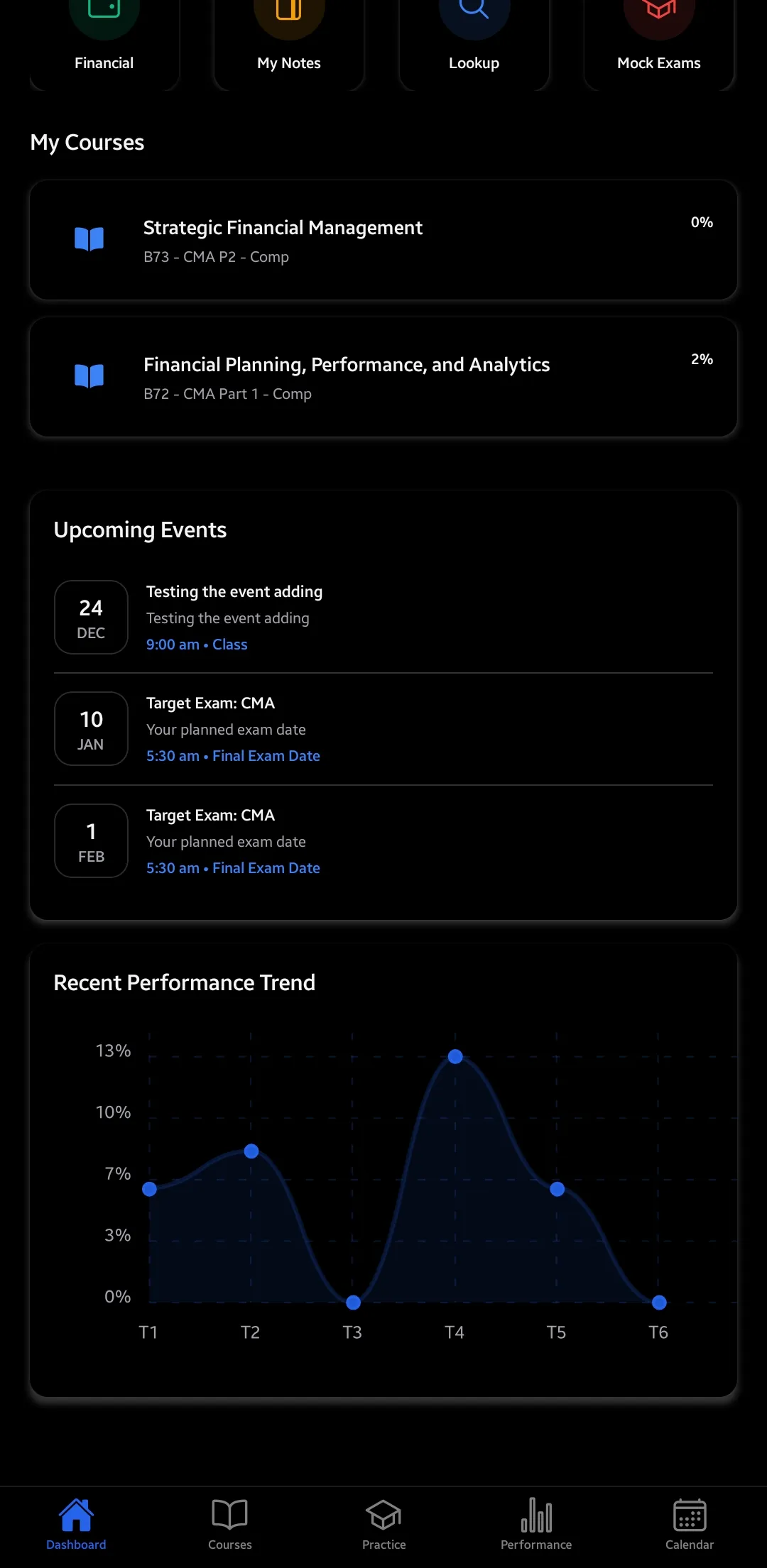
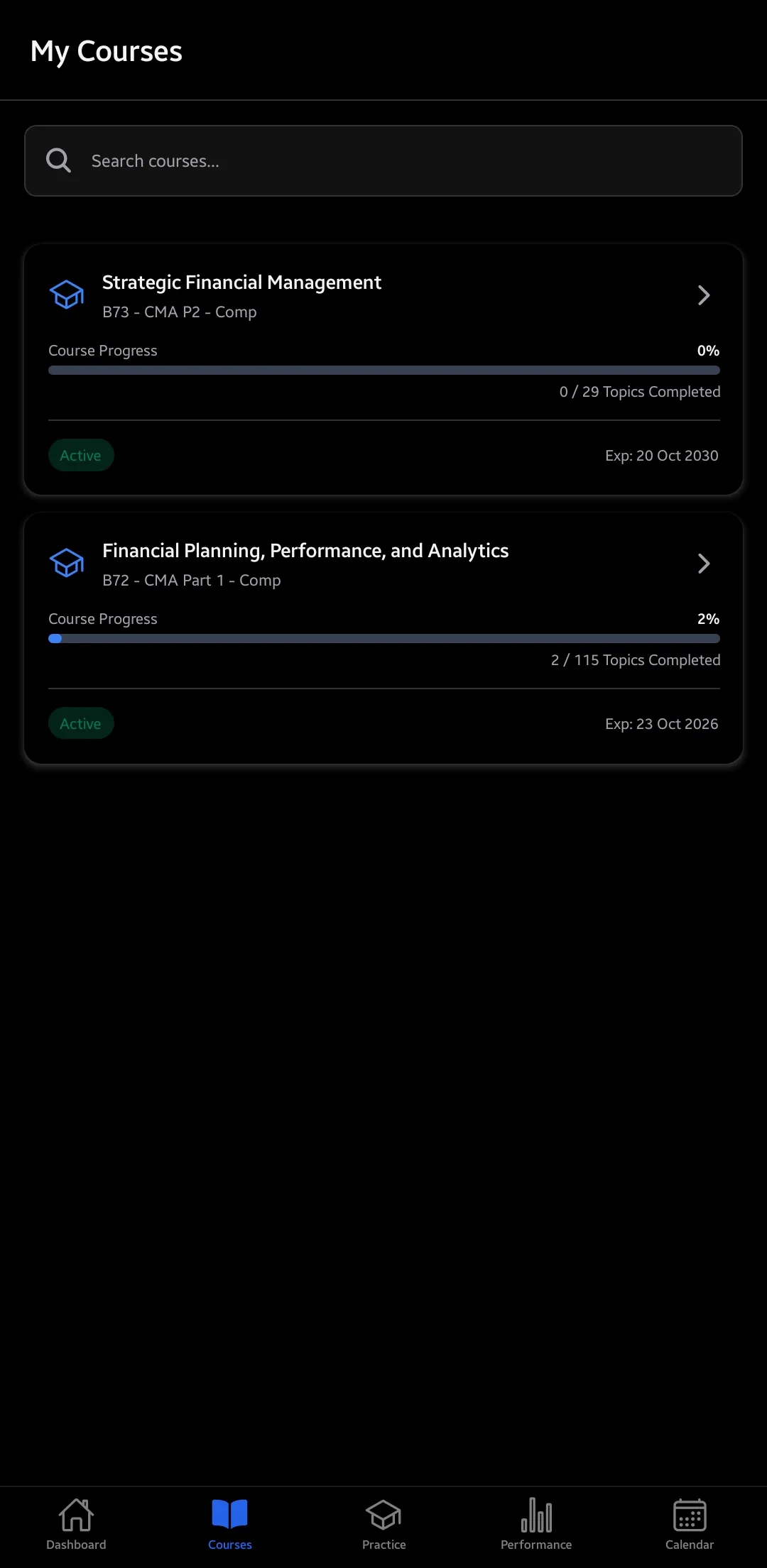
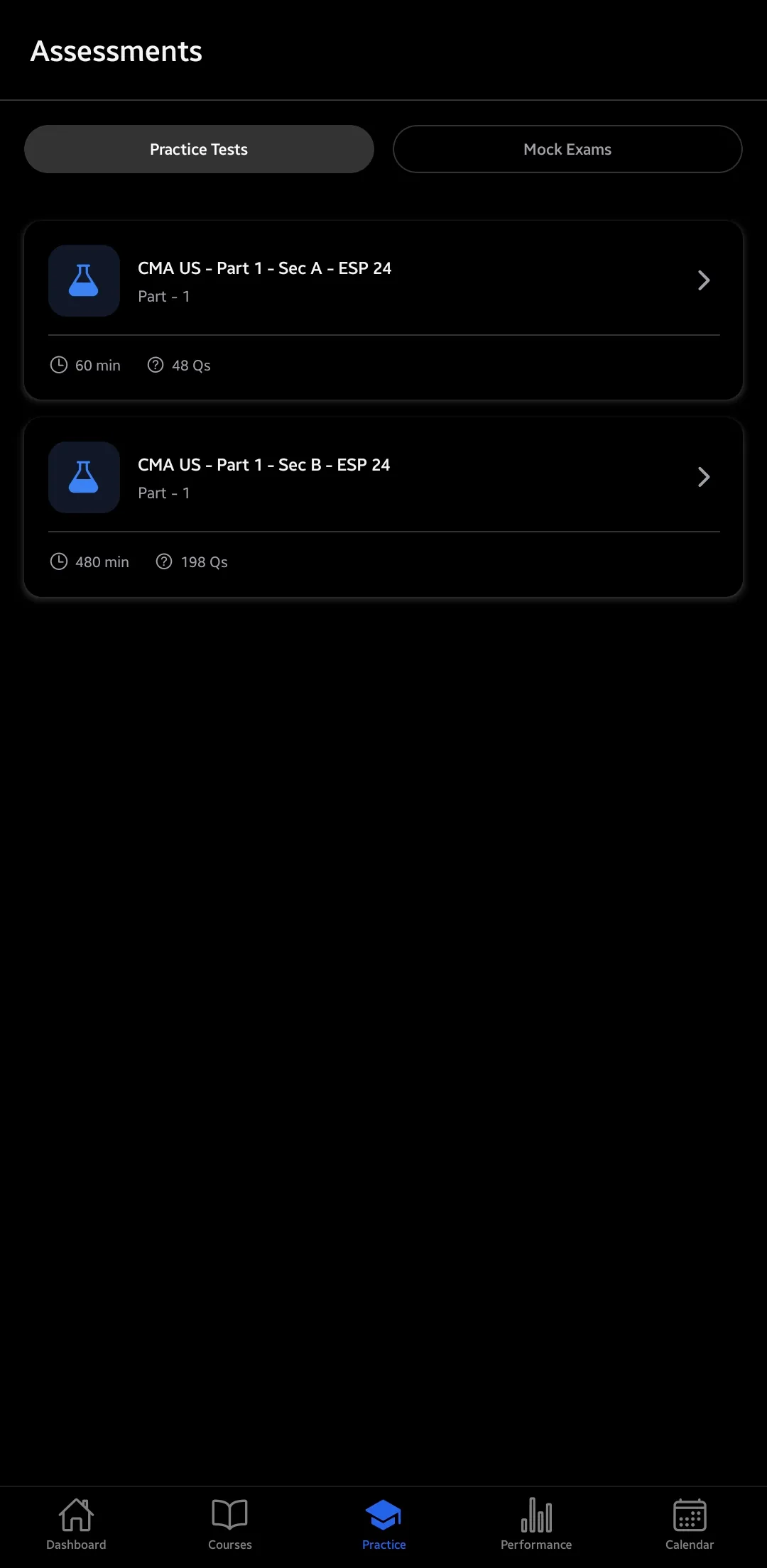
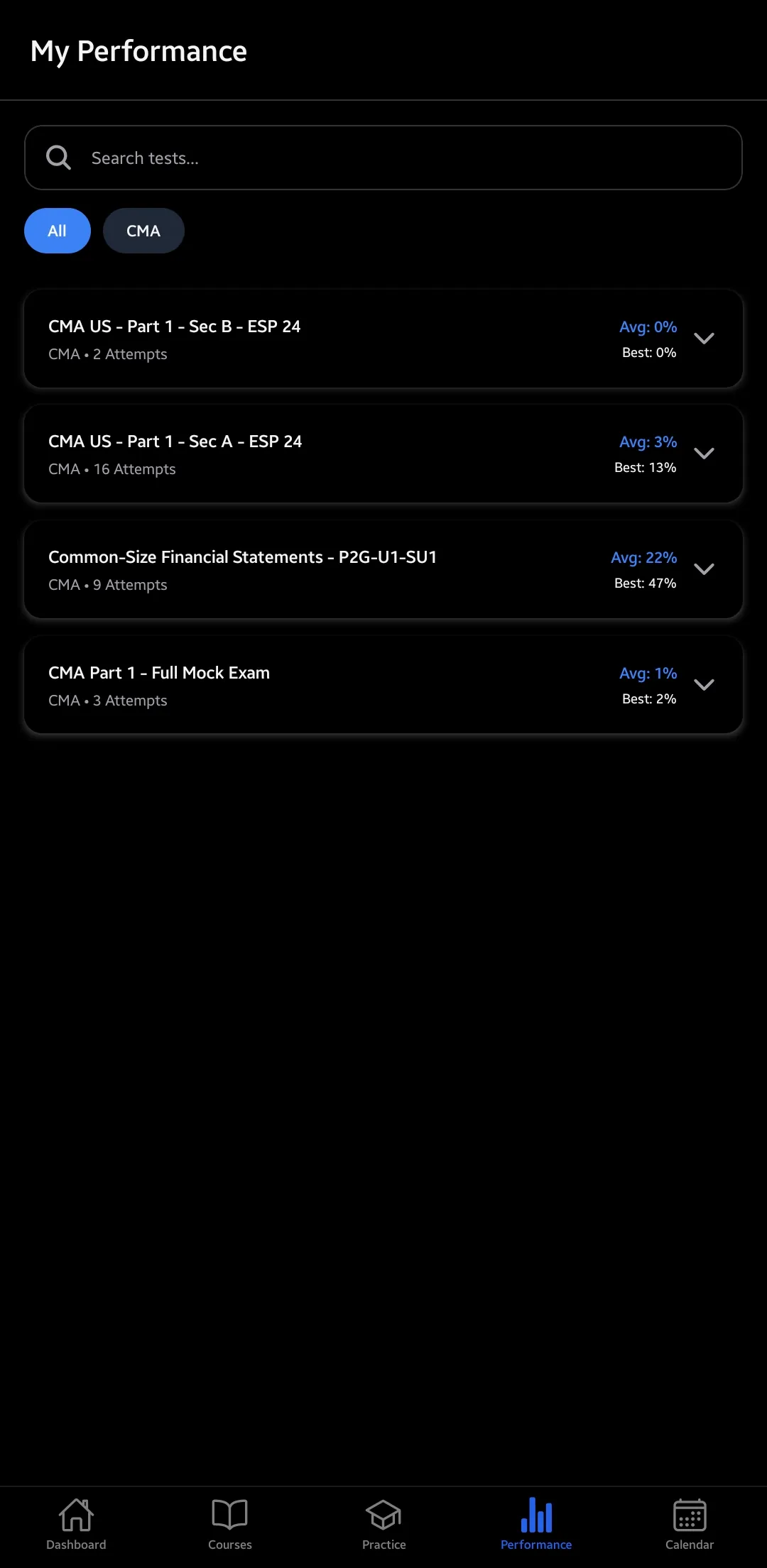
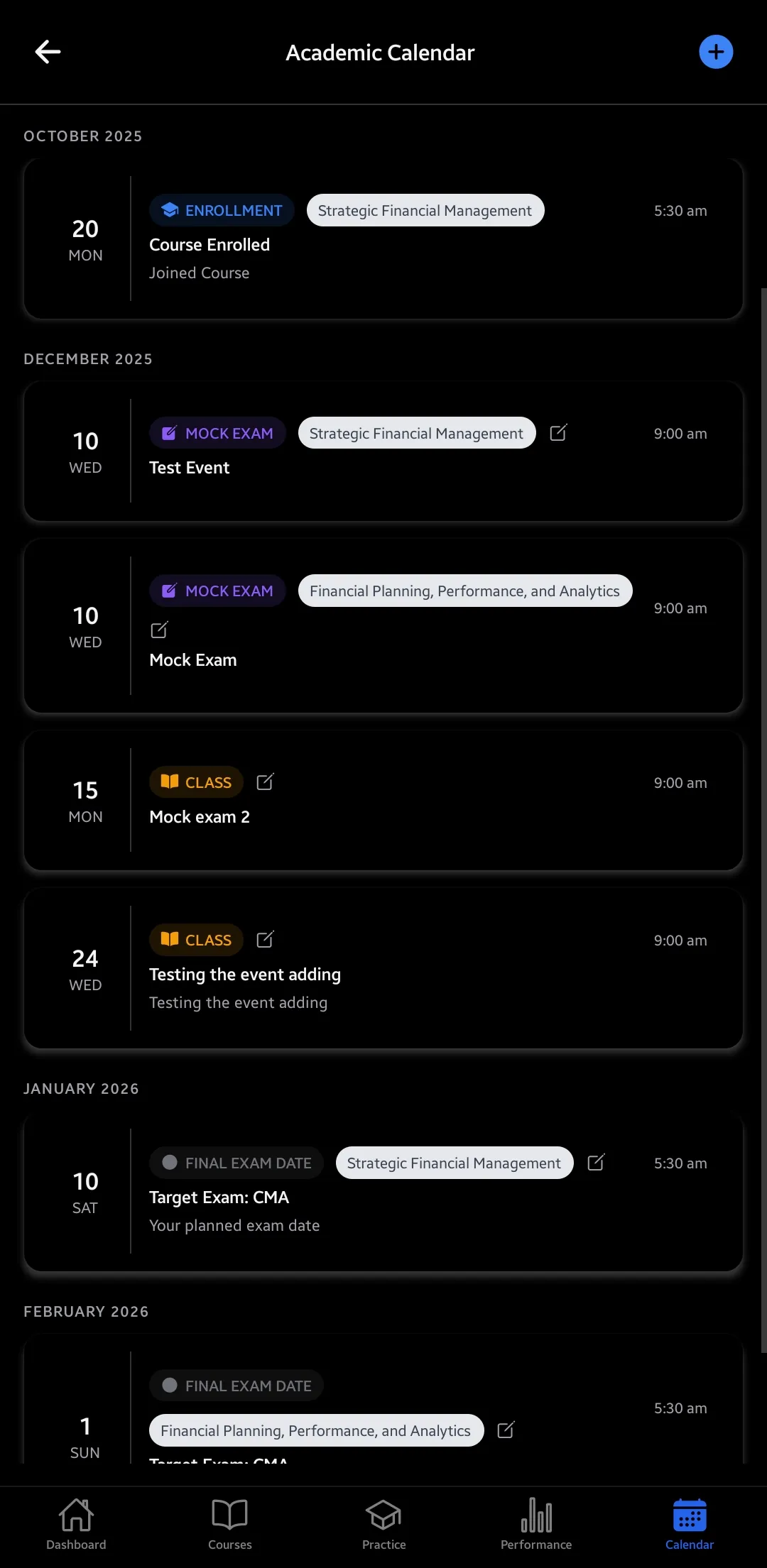
The Android app in dark mode. The same account, notes and progress follow you to the web portal and the desktop app.
How it fits together
Learn, practise, focus, track, achieve
01
Learn
Clear, distraction-free content with your own notes and bookmarks.
02
Practise
Multiple-choice and case-based questions with instant feedback and timed mocks.
03
Focus
Weak-area detection and spaced repetition point your revision where it counts.
04
Track
Dashboards, streaks and attempt comparisons show how you're progressing.
05
Achieve
Earn your certificates and track your progress to exam day.
Ready for the 2026 CMA and 2027 ACCA
Practise exactly how you will be tested
From 2026 the CMA exam replaced essay questions with case-based questions (CBQs). Every CBQ format is ready on web, mobile and desktop, all auto-graded with partial credit where it applies. The ACCA question bank is aligned with the 2027 ACCA qualification redesign, including the new structure and paper codes.
Together with multiple-choice questions, that is an exam-accurate question bank and test bank in the format you will face on the day. Read more about the 2026 CMA changes and the 2027 ACCA syllabus.
- Fill-in-the-blank
- Matching
- Ordering
- Drag-and-drop
- Numerical entry
- Multiple choice (MCQ)
By qualification
Built for ACCA, CMA US and Dip IFRS
Whichever qualification you are preparing for, you get the same toolkit: study material, a practice question bank, full mock exams and exam-accurate test banks.
ACCA
Study material, question bank and mock exams for every ACCA paper: Applied Knowledge, Applied Skills and Strategic Professional.
- Structured notes and secure PDFs for all 13 papers
- Thousands of exam-standard practice questions and timed mocks
- Aligned with the 2027 ACCA qualification redesign and new paper codes
- Weak-area detection and spaced repetition across every subject
CMA US
A complete CMA US test bank with a Prometric-style exam simulator for Part 1 and Part 2.
- Full Part 1 and Part 2 study material and question bank
- Prometric-style mock exam simulator with on-screen calculator
- Every 2026 case-based question (CBQ) format, auto-graded with partial credit
- Detailed analytics, attempt comparison and performance tracking
Dip IFRS
Focused study material, question bank and mock exams for the ACCA Diploma in IFRS (DipIFR).
- IFRS-focused notes, worked examples and secure PDFs
- Practice questions and full timed mock exams
- Lecture videos with offline desktop download
- Progress tracking, flashcards and weak-area practice
8 areas, 40+ tools
Everything you get
A complete path from your first lesson to your final certificate.
Courses and study material
Every subject you're enrolled in, laid out topic by topic so you can study at your own pace.
All your subjects in one place
Web + mobileEvery paper you're enrolled in, in one clean, topic-by-topic structure.
Your entire enrolment sits in one dashboard, broken into chapters and topics you can work through in order or dip into as you like.
Text and PDF content
Web + mobileText-based lessons and secure premium PDFs in one place.
Read structured text lessons or open premium PDFs without leaving the platform, so your material is never scattered across downloads.
Your own notes
Web + mobileJot notes against any topic, synced across your devices.
Capture a quick reminder or a full summary against any topic. Notes save to your account and appear on web and mobile.
Bookmarks
Web + mobileSave the topics that matter for quick re-study.
Bookmark anything worth revisiting and build your own shortlist for revision week, on every device you sign in to.
Time estimates
Web + mobileEvery topic shows an approximate "~X min read".
Each topic carries a realistic reading-time estimate, so you can plan a 15-minute session on the bus or a longer one at your desk.
Guided learning paths
Web + mobileInstructors can unlock topics in the right order.
Where it helps, faculty can gate topics so prerequisites come first and you build a foundation before harder material.
Progress tracking
Web + mobileSee what's done and what's left at a glance.
Completion markers across every subject show how far you've come and what remains.
Generous watch limits
All platformsRewatch lectures and study any time.
Each ACCA lecture can be viewed 3 times, and Dip IFRS and CMA US lectures can be watched for up to 5× their length. Access runs 6 months (ACCA) or 1 year (Dip IFRS, CMA US) and is extended free until you pass, on request. Retake any practice set and study at whatever pace suits you.
Protected lecture videos
Desktop + mobileEncrypted lecture videos in the desktop and mobile apps; the browser points you to the app.
Lectures play only in the Global Fin X desktop and mobile apps, which block screen capture at the OS level; a web browser cannot play them. They are delivered as encrypted HLS, verified against your enrolment, with a roaming forensic watermark tied to your account on every frame to deter sharing.
Offline video downloads
Desktop appDownload lectures to the desktop app and watch without a connection.
The desktop app downloads encrypted lecture videos to your machine. Decryption happens locally at playback, so no internet connection is needed once a lecture is saved.
Practice and exams
Practise in the exact format you'll see on exam day, from quick drills to a full exam-day simulator.
Instant feedback
Web + mobileSee if you're right straight away, with a full explanation.
Every practice question is marked the moment you answer, with a worked explanation, so you fix misunderstandings on the spot.
Timed mock exams
Web + mobilePractise under real exam conditions and pacing.
Full-length timed mocks mirror the real clock and structure, training pacing and stamina before the actual paper.
CMA exam simulator
WebA true-to-life Prometric-style exam screen.
The simulator recreates the Prometric interface: the same on-screen calculator, answer formatting and section-review screen, so your first official exam feels familiar.
Every question type
Web + mobileMCQs plus the full set of case-based questions.
Beyond multiple choice, practise every case-based format the CMA now uses: fill-in-the-blank, matching, ordering, drag-and-drop and numerical, each auto-marked with partial credit.
Essay and long answers
WebWritten-answer support for legacy and non-CMA papers.
For legacy and non-CMA papers that still use them, compose and submit full written answers on the web portal.
Flag questions
Web + mobileMark a tricky question and return to it later.
Flagged questions are collected for review and feed straight into your spaced-repetition schedule.
Look up the source
Web + mobileOpen the linked course content inside a question.
Each question links back to the topic it came from, so you can refresh the theory and return to your answer without losing your place.
Smart revision
The platform spots what you need to revise and brings it back at the right time.
Weak-area practice
Web + mobileFocused practice on your lowest-accuracy topics.
The platform reads your results across every chapter, ranks your weakest topics, and builds practice sets aimed at them.
Spaced repetition
Web + mobileFlagged questions return on a 1 → 3 → 7 day schedule.
Flagged questions resurface at widening intervals, turning short-term recall into long-term retention by exam day.
Flashcards
Web + mobileQuick-fire revision of the key concepts.
Run through concept flashcards in spare moments to lock in definitions, formulas and key ideas.
Question lookup
Web + mobilePull up any question by its code, with past attempts.
Type a question's code to jump straight to it, see how you answered before, and study the explanation again.
Performance and insights
Turn every attempt into insight: where you stand, what's improving and what to work on next.
Performance dashboard
Web + mobileScores, accuracy and trends over time, in one view.
One dashboard charts your scores and accuracy over time, so you can spot a dip early and act on it.
Topic and type breakdowns
Web + mobileSee where you're strong and where to focus.
Accuracy is broken down by topic and by question type, pinpointing the areas and formats that need more work.
Detailed test review
Web + mobileYour answer, the correct answer and the explanation.
After any test, review it question by question to understand not just what you missed but why.
Compare attempts
Web + mobileSee exactly what improved between attempts.
Side-by-side comparison shows which questions you turned around and where you're still slipping.
Study time and streaks
Web + mobileTime studied, daily streaks and a study log.
Study time is logged automatically and turned into daily streaks and a study history.
Achievements and records
Recognition for your progress, and clear records of your access and payments.
Certificates
Web + mobileEarn and view certificates as you finish courses.
Completion certificates are issued automatically and stored in your account, ready to view or share. Anyone can check one on our certificate verification page.
Subscriptions and access
Web + mobileSee what you can access and your plan status.
Your active subscriptions show which courses and materials you're entitled to and how long your access runs.
Fees and payment history
Web + mobileYour enrolment fees and payment history, in the open.
Check enrolment fees, paid amounts and any pending dues in one place.
Staying on track
Announcements, reminders and key dates in one place.
Notification centre
Web + mobileAnnouncements, reminders and faculty messages in one place.
Announcements, deadline reminders and faculty messages land in a single notification centre.
Push reminders
MobileNudges for goals and deadlines, even when the app is closed.
The mobile app sends push reminders for study goals and upcoming dates, even when the app isn't open.
Calendar and timeline
Web + mobileExams, classes and key dates laid out clearly.
One calendar plots your classes, mock deadlines and exam dates, so you can plan revision around them.
Support and account
Reach your faculty quickly, flag content issues, and stay in control of your account.
Report an issue
Web + mobileSubmit a correction and follow its status.
Flag an error in any question or topic, describe what's wrong, and track the correction as the academic team resolves it.
WhatsApp your faculty
Web + mobileReach instructors through a built-in WhatsApp link.
A built-in WhatsApp link connects you straight to your instructors, so clearing a doubt takes a tap.
Profile and security
Web + mobileManage your profile, password and secure sessions.
Update your profile and password, with secure login and session management protecting your account.
Study calendar and logs
Web + mobileYour study history and upcoming dates in one calendar.
Your study log and upcoming key dates live in one calendar, making it easy to keep a consistent rhythm.
Desktop and mobile security
OS-level protection on desktop, screen-lock and offline access on mobile.
OS-level screen-capture block
Desktop appThe desktop app blocks capture at the OS level, not just in the browser.
The desktop app hooks into the Windows.Graphics.Capture and DXGI Desktop Duplication APIs to block capture tools at the OS layer. A multi-monitor gate also prevents redirecting a second display to capture video frames.
Mobile screen-recording block
MobileScreenshots and screen recording blocked system-wide on mobile.
The mobile app sets FLAG_SECURE (Android) and iOS screen blanking for all student sessions. Premium material can't be captured or exported from the app.
Offline study (mobile PDFs)
MobileOpened PDFs stay available on mobile without a connection.
Once you open a PDF on mobile it stays available offline, so a train, a flight or a weak signal never interrupts your study.
Reliable push alerts
MobileDependable reminders delivered to your device.
Native mobile notifications deliver reminders and study nudges straight to your device.
Web, mobile and desktop
Always in sync
Notes, bookmarks, progress, flagged questions and results follow you across all three platforms. Start on your phone, continue on your laptop, watch lectures in the desktop app.
Web portal
The complete experience and the best place for serious test-taking, including the full CMA Prometric-style mock exam.
- Full Prometric-style CMA exam simulator
- On-screen calculator and section review
- Essay and long-answer support for legacy papers
- Every feature, on the big screen
Desktop app (Windows and macOS)
The full web LMS in a native app, plus the only way to watch lectures with OS-level protection and offline downloads.
- Encrypted lecture videos with OS-level capture blocking
- Download lectures for offline playback
- Multi-monitor capture gate
- Full web LMS, no browser needed
Mobile app
Built for secure study on the go: offline PDFs, capture protection, lecture streaming and push reminders.
- Encrypted lecture videos with FLAG_SECURE protection
- Offline access to opened study PDFs
- Screenshots and screen recording blocked system-wide
- Native push study reminders
What is available where
✓ full support · ◐ limited or partial · — not available. Most features work everywhere with synced data; a few are built for one platform on purpose.
| Feature | Web | Mobile | Desktop | Notes |
|---|---|---|---|---|
| Courses and content | ||||
| Multi-subject course access | Full support | Full support | Full support | — |
| Structured topic-by-topic content | Full support | Full support | Full support | — |
| Text-based content | Full support | Full support | Full support | — |
| Secure PDF study material | Full support | Full support | Full support | Mobile and desktop add capture protection |
| Protected lecture videos | Not available | Full support | Full support | Play only in the desktop and mobile apps (OS-level capture blocked); the browser asks you to install the app |
| Offline video downloads | Not available | Not available | Full support | Desktop app only, encrypted local playback |
| Offline access to opened PDFs | Not available | Full support | Not available | Mobile only |
| Screenshot and screen-recording protection | Not available | Full support | Full support | Desktop: OS APIs (Windows.Graphics.Capture + DXGI); mobile: FLAG_SECURE |
| Rewatch lectures (3× ACCA, 5× watch time Dip IFRS and CMA US) | Full support | Full support | Full support | Study any time; access extended free until you pass, on request |
| Personal notes per topic | Full support | Full support | Full support | Synced |
| Bookmarks | Full support | Full support | Full support | Synced |
| Topic time estimates | Full support | Full support | Full support | — |
| Guided, prerequisite-gated learning paths | Full support | Full support | Full support | Instructor-controlled |
| Progress and completion tracking | Full support | Full support | Full support | — |
| Practice and exams | ||||
| Practice tests with instant explanations | Full support | Full support | Full support | — |
| Timed mock exams | Full support | Full support | Full support | — |
| CMA Prometric-style exam simulator | Full support | Not available | Full support | Web and desktop, with calculator and section review |
| Multiple-choice questions | Full support | Full support | Full support | — |
| Case-based questions (CBQs) | Full support | Full support | Full support | Auto-graded, partial credit, 2026 CMA format |
| Essay and long-answer questions | Full support | Partial support | Full support | Legacy and non-CMA only; mobile shows "submit on web" |
| Flag questions during a test | Full support | Full support | Full support | — |
| Linked content reference within questions | Full support | Full support | Full support | — |
| Conditional section unlocking | Full support | Full support | Full support | Exam-dependent |
| Smart revision | ||||
| Weak-area detection and practice | Full support | Full support | Full support | — |
| Flagged-question spaced repetition | Full support | Full support | Full support | Synced schedule |
| Flashcards | Full support | Full support | Full support | — |
| Question lookup by code | Full support | Full support | Full support | — |
| Performance and insights | ||||
| Performance dashboard and analytics | Full support | Full support | Full support | — |
| Topic and question-type accuracy breakdown | Full support | Full support | Full support | — |
| Detailed test review | Full support | Full support | Full support | — |
| Attempt-vs-attempt comparison | Full support | Full support | Full support | — |
| Study-time tracking, streaks and logs | Full support | Full support | Full support | Synced |
| Staying on track | ||||
| In-app notification centre | Full support | Full support | Full support | — |
| Push notifications and study reminders | Partial support | Full support | Partial support | Mobile: native push; web and desktop: in-app only |
| Calendar and timeline of events | Full support | Full support | Full support | — |
| Achievements and account | ||||
| Certificates | Full support | Full support | Full support | — |
| Subscriptions and content access | Full support | Full support | Full support | — |
| Fees and financial history | Full support | Full support | Full support | — |
| Suggest corrections and report issues | Full support | Full support | Full support | Track status as the team reviews |
| Direct WhatsApp contact with faculty | Full support | Full support | Full support | — |
| Profile and password management | Full support | Full support | Full support | — |
| Secure login and session management | Full support | Full support | Full support | — |
Questions about the platform
Does Global Fin X provide study material and a question bank for ACCA, CMA US and Dip IFRS?
Is the platform ready for the 2026 CMA and 2027 ACCA exam changes?
Can I take full-length mock exams and a Prometric-style CMA simulator?
Is there a desktop app, and can I download lectures for offline study?
What does the Global Fin X platform offer for ACCA, CMA US and Dip IFRS training?
Study on a platform built to help you pass
Join an ACCA, CMA US or Dip IFRS course and you get the full Success Portal: study material, question bank, mock exams and the Prometric-style simulator.